In the Domain Level Control Panel, select Incoming > Domain Settings.
The Domain Settings page is displayed for the Domain:
- Primary Contact Email - This is the email address of the person who will receive the emails for this domain
- Email notifications From address - This is the sending address for all emails sent to addresses at this domain, for example 'notifications@demo-domain.invalid'
- Enable logging of invalid recipients - When enabled, incoming messages sent to an invalid recipient (e.g. a misspelled email address) will still be logged
- Direct delivery for email and domain aliases - When selected, this means that when aliasing is in use, emails will be delivered to the alias address, instead of the original one. This applies to both email and domain aliasing
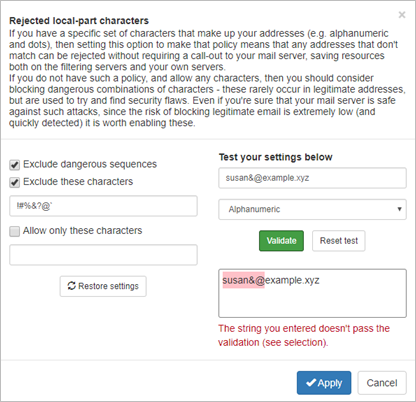
- Rejected Local-Part Characters - When the system detects any of these characters in the local part of a recipient's email address in an incoming email, the email will be rejected
- Timezone - Select the timezone that the domain is based in
The Log Search still shows the message for the original address.
Rejected Local-Part Characters
The Rejected local-part characters page allows you to list the characters that will not be accepted in the local part of an email address (the text before the @ symbol e.g. <localpart>@domain.xyz). If any of the listed characters is detected, the message will be rejected and not quarantined.
In this page you can also test the settings you have configured: